
IT managers, AV professionals, and workplace designers are upgrading meeting room technology for modern hybrid work environments. Traditional 16:9 displays often limit content visibility during video conferences and collaborative presentations. Therefore, many organizations are exploring 21:9 ultrawide displays to create more efficient meeting experiences.
A common question among technology buyers is: What practical benefits does a 21:9 ultrawide display provide compared with a standard 16:9 screen in daily hybrid meetings?
Limited screen space can force users to resize documents, switch windows, or hide remote participants during online meetings. In contrast, a 21:9 interactive display provides a wider digital workspace for simultaneous content sharing and video communication. It supports more natural collaboration layouts and improves visibility for both in-room and remote teams.
This guide explains the key advantages of 21:9 ultrawide displays, including hybrid meeting optimization, Microsoft Teams Front Row compatibility, and improved productivity through expanded screen space. It also explores how businesses can select the right interactive display solution for modern conference rooms.
1. Multitasking Efficiency: Eliminating Window Toggling in Hybrid Meetings
The core limitation of a standard 16:9 interactive screen lies in its restricted horizontal workspace. When meeting leaders share a detailed financial spreadsheet, architectural drawing, or slide presentation on a 16:9 screen, the software compresses video feeds of remote colleagues into tiny thumbnails or hides them entirely.
Traditional 16:9 Display Limitations
Traditional 16:9 displays often require users to switch between shared content and participant video feeds. This limited viewing area can reduce meeting efficiency and interrupt collaboration.
21:9 Ultrawide Display Advantages
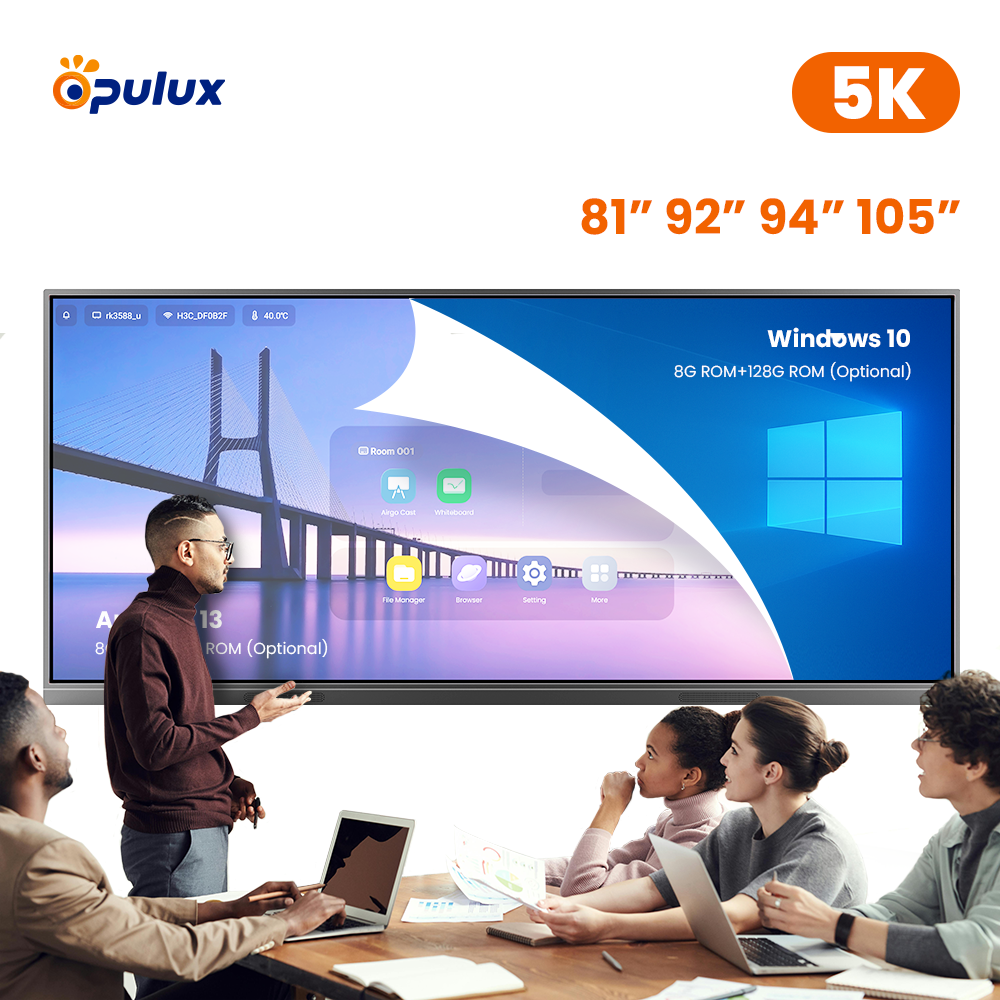
A 21:9 ultrawide display provides a wider workspace for hybrid meetings. Users can view shared documents, remote participants, and chat windows at the same time. This expanded screen layout improves communication and creates a more natural collaboration experience.
Leveraging 21:9 interactive whiteboard benefits removes these visual compromises. The expanded aspect ratio provides the physical screen width needed to view uncompressed presentation decks alongside life-sized video feeds, live meeting chats, and raised-hand queues simultaneously. Consequently, meeting facilitators maintain seamless eye contact with remote team members without constantly toggling windows or minimizing critical data.
2. Immersive “Front Row” Layouts: Re-engineering the Hybrid Meeting Experience
Modern video conferencing platforms—most notably Microsoft Teams Rooms—specifically utilize 21:9 aspect ratios to power next-generation collaborative layouts like Front Row collaboration.
| Screen Area | Function | User Benefit |
|---|---|---|
| Top Information Bar | Displays agenda, raised hands, and meeting chat notes | Keeps important meeting information visible |
| Center Content Area | Shows shared presentations, documents, and collaboration materials | Provides a large workspace for team discussion |
| Bottom Participant Gallery | Displays remote attendees at eye level | Creates a more natural face-to-face meeting experience |
Instead of stacking participant videos into small side grids, the Front Row layout places shared presentation content directly in the center of the display while arranging remote attendees horizontally along the bottom rail. This horizontal alignment places video feeds at eye level across the conference table, simulating an in-person, face-to-face meeting. As a result, both in-room and remote participants interact naturally, dramatically boosting engagement and meeting inclusion.
3. The Infinite Digital Canvas: Unlocking Side-by-Side Whiteboard Collaboration
Beyond video conferencing, an ultrawide display for Teams fundamentally enhances brainstorm sessions and creative workshops.
During design sprints, agile planning sessions, or strategic workshops, teams quickly exhaust the canvas space of traditional 16:9 boards, forcing users to zoom out or erase prior ideas. A 21:9 interactive display provides an expanded digital canvas where multiple team members write, drag media, and annotate side-by-side simultaneously. Teams can keep reference materials, live web browsers, and active whiteboard notes open side-by-side, maintaining uninterrupted creative momentum.
Format Comparison: 16:9 vs. 21:9 Interactive Displays
| Meeting Evaluation Dimension | Standard 16:9 Интерактивная доска | Modern 21:9 Ultrawide Interactive Display |
| Available Display Real Estate | Baseline 100% display area | +33% horizontal screen space |
| Hybrid Meeting Layouts | Content or participants must be scaled down | Native support for Teams Front Row & side-by-side view |
| Participant Sightlines | Video feeds are placed in small side grids | Eye-level gallery view along the display bottom |
| Digital Whiteboard Canvas | Constrained width; requires frequent panning | Expansive horizontal canvas for multi-user writing |
| Multi-Window Productivity | Window overlapping and frequent toggling | Simultaneous content, chat, and video execution |
 4. Strategic Procurement Guide for IT Managers
Commercial buyers and workplace managers can maximize their meeting room technology investments by implementing three key planning steps:
-
Specify 21:9 Formats for Medium and Large Boardrooms: Deploy 21:9 ultrawide displays in signature boardrooms and high-stakes hybrid spaces where remote collaboration occurs daily.
-
Optimize Room Seating and Camera Positioning: Pair an ultrawide display with eye-level smart cameras to align physical sightlines with the bottom-rail video gallery of Front Row layouts.
-
Standardize Enterprise UC Software Integration: Ensure your interactive whiteboard hardware fully supports native Microsoft Teams Rooms or Zoom Rooms configurations to grant users one-touch join access.
Conclusion: Future-Proof Your Hybrid Workspaces with Ultrawide Displays
In conclusion, adopting a 21:9 meeting room display extends far beyond acquiring extra screen real estate; it fundamentally transforms how hybrid teams communicate, present, and collaborate.
Stop forcing your hybrid teams to compromise on small 16:9 screens that hide remote participants and restrict creative brainstorming. Upgrading your conference spaces to high-performance 21:9 ultrawide interactive whiteboards delivers true side-by-side multitasking, immersive eye-level engagement, and an expansive digital canvas for every meeting. We calibrate every display panel, tune every touch sensor, and test every enterprise software integration to satisfy strict corporate performance standards. Contact our commercial display solution team today to schedule a product demonstration and receive a tailored enterprise quote.